A tour of MDX components
The building blocks behind these notes, from a line of code to a longer explanation.

On this page
Good technical writing moves between an idea and its details. This page collects the elements I use to make that movement easier to follow.
Text and hierarchy#
A paragraph sets the pace. Emphasis draws attention to the important part, while italics leave room for a quieter aside. Links connect an explanation to another article on this blog. Inline code, such as Result<T, Error>, belongs in the sentence around it.
A closer look#
Section headings describe the next idea. A short subsection should still have enough space to feel distinct from the paragraph before it.
A small detail#
Use ⌘ + K as an example of a keyboard shortcut. A highlight can call attention to a phrase. A discarded approach can remain visible when the correction matters.
Lists and definitions#
A useful explanation often starts with a short sequence.
- State the input and the expected result.
- Work through one concrete example.
- Include the ordinary case.
- Check what happens at the boundary.
- Connect the result to the original question.
A checklist records progress without another paragraph.
- Keep headings descriptive.
- Give examples enough room to breathe.
- Revisit the explanation after using it in practice.
- Reading measure
The width of a line of text, chosen to make it easy to find the next line.
- Vertical rhythm
The repeated spacing that connects related ideas and separates sections.
Code#
A short function can explain a rule more precisely than a paragraph.
function double(value: number) {
	return value * 2;
}
Titles and highlighted lines#
A filename gives the example context. Highlighted lines show the part worth examining. Line numbers help when referring back to a specific step.
export function sumPositive(values: number[]) {
	return values
		.filter((value) => value > 0)
		.reduce((total, value) => total + value, 0);
}Tables#
Tables work best when their columns answer the same question about different choices.
| Element | Best used for | Reading behavior |
|---|---|---|
| Paragraph | Developing one idea in full sentences | Wraps to the reading column |
| Code block | An example the reader can trace or copy | Preserves whitespace and scrolls when needed |
| Figure | A diagram, table, or equation with context | Keeps the caption beside the material it explains |
Figures and images#
An image keeps its original proportions. A small diagram should stay crisp instead of stretching across the page.
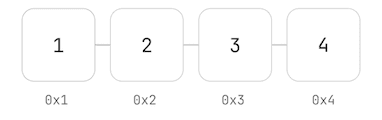
A figure can also group a table with its explanation.
| Relationship | Space |
|---|---|
| Related list items | 8 px |
| Heading to explanation | 16 px |
| Paragraph to paragraph | 24 px |
| Major section | 48 px |
Mathematics#
Inline expressions such as stay with the sentence. Display equations get their own space.
Quotations#
A regular quotation is part of the argument around it.
A useful example gives the reader something small enough to understand and specific enough to test.
The explanation can then build on a shared result.
The following example demonstrates an attributed quotation.
Keep the example small enough to understand, and the explanation close enough to use.
Notes and disclosures#
Extra detail should be available when the reader needs it. Open a note to see how ordinary Markdown works inside a custom component.
Note. Why an example should keep its assumptions close to the code that depends on them
A note can hold the same elements as the article.
- State the assumption explicitly.
- Show the smallest example that depends on it.
const average = (total: number, count: number) => total / count;Here, the caller must ensure that .
Warning. Check the boundary case
An empty collection changes the problem. Decide what the function should return before relying on the ordinary case.
Caution. Do not discard an error silently
A missing result and a failed computation tell the caller different things. Preserve that distinction in the return type.
A plain disclosure also works
This uses the browser's native disclosure element. It can be opened with a pointer or with the keyboard, and its text follows the same spacing as the article.
Small structural choices make a long article easier to follow. A footnote keeps a supporting detail available without interrupting the sentence.1
Footnotes#
-
Spacing values are shared across these components. The relationships stay consistent when the reading column narrows on a phone. ↩